Foodbanks
Track food donations, crate weights, shelf requests and transfers to other centres.
Keep track of donations, see what’s running low and help your team move supplies where they’re needed. One workspace for your store, volunteers and other sites.
30 minutes · No account to create · No payment details
Here’s how a request and a labelled crate move through the system.
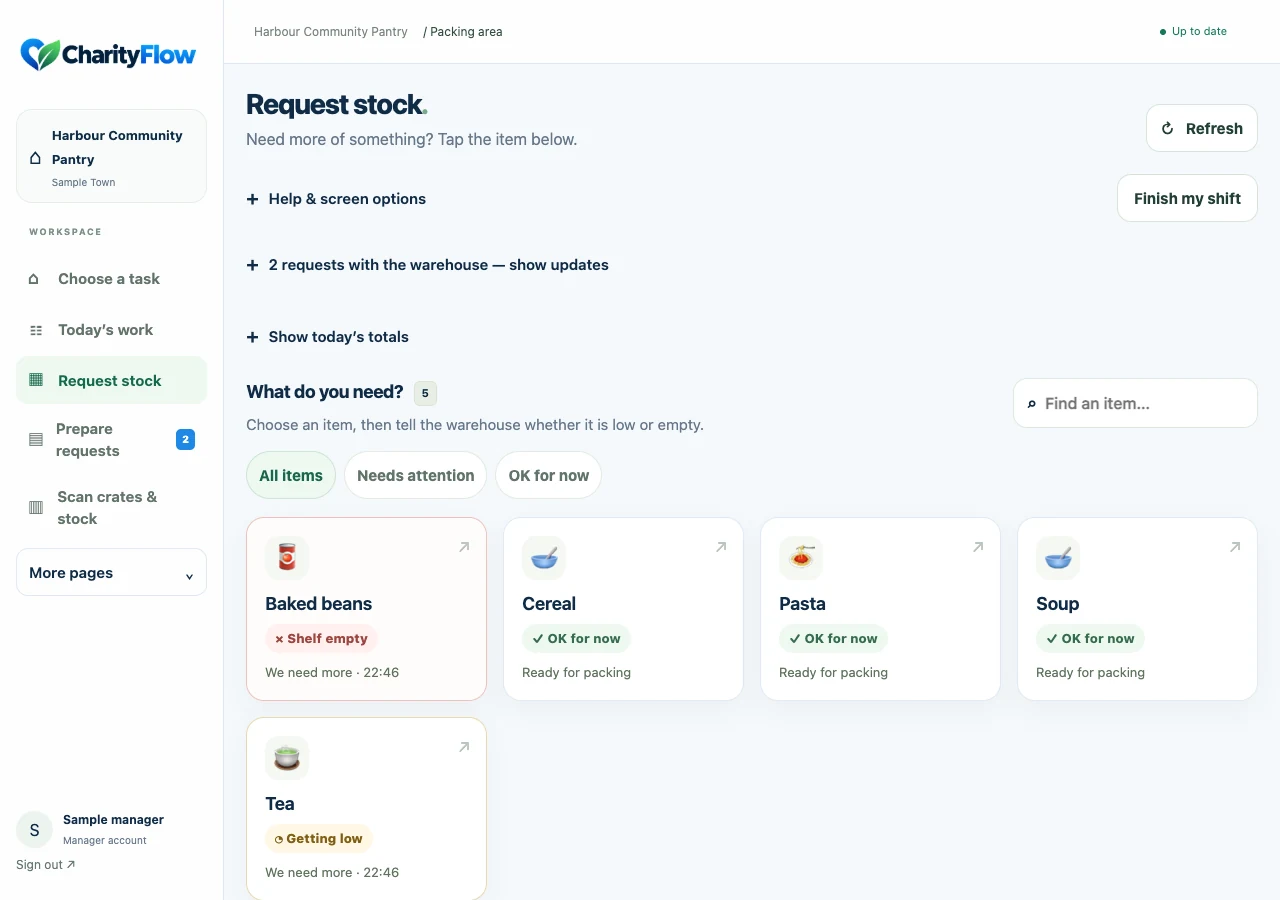
A volunteer taps Baked beans and marks the shelf as low or empty.
The request appears on the warehouse screen. Someone acknowledges it and prepares the supplies.
Mark the request sent. Scan the labelled crate out to its destination; its stock is now in transit.
Scan the crate in when it arrives to update the destination inventory. Mark the request complete once the shelf is stocked.
Stock only appears at the receiving location once arrival is confirmed. Each movement keeps its history.
These are screenshots of CharityFlow using a fictional community pantry. They contain no customer or recipient records.
Find an item and tell the stock team when it’s running low.
Actual app · sample data · open to enlarge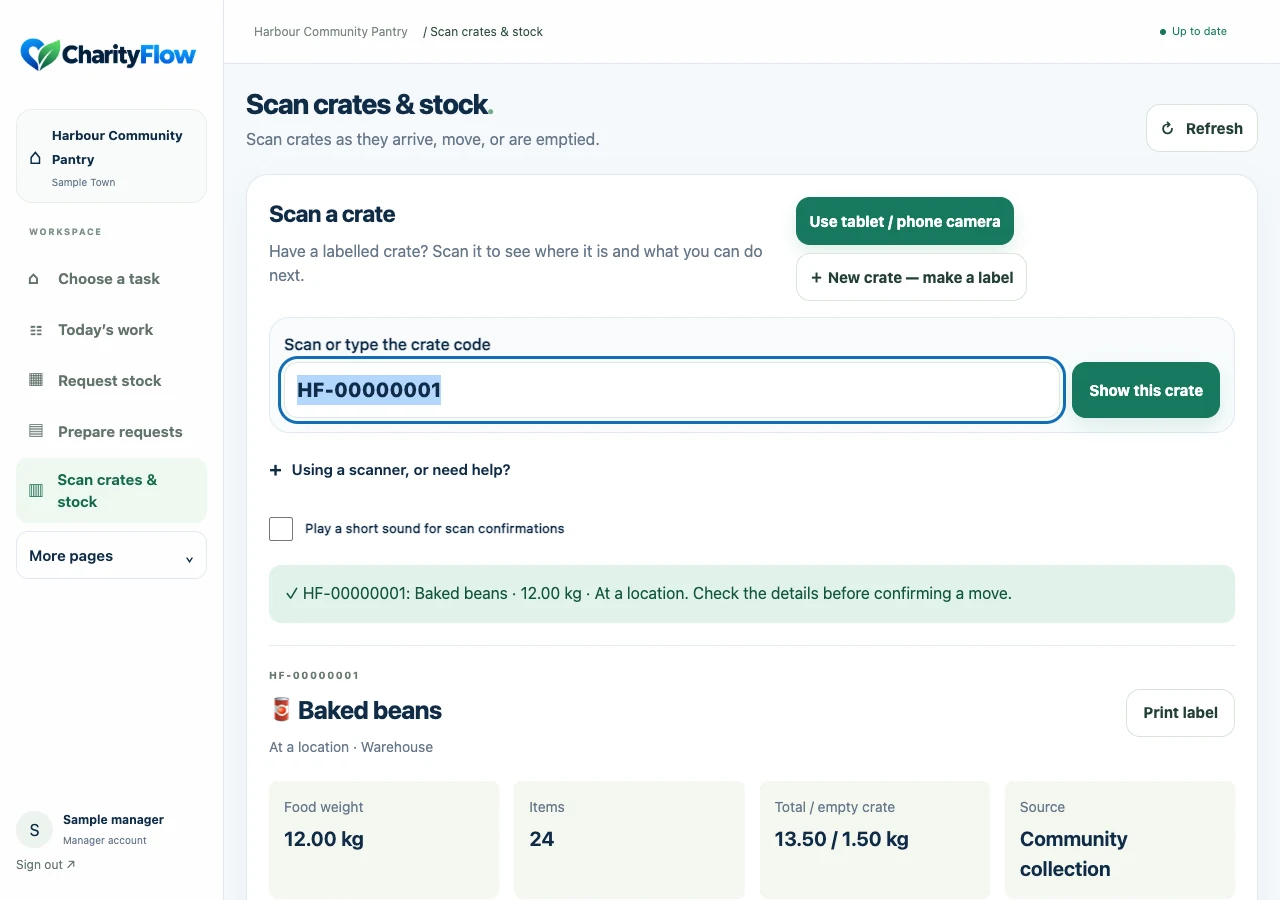
Check the contents, recorded weight, source and current location.
Actual app · sample data · open to enlarge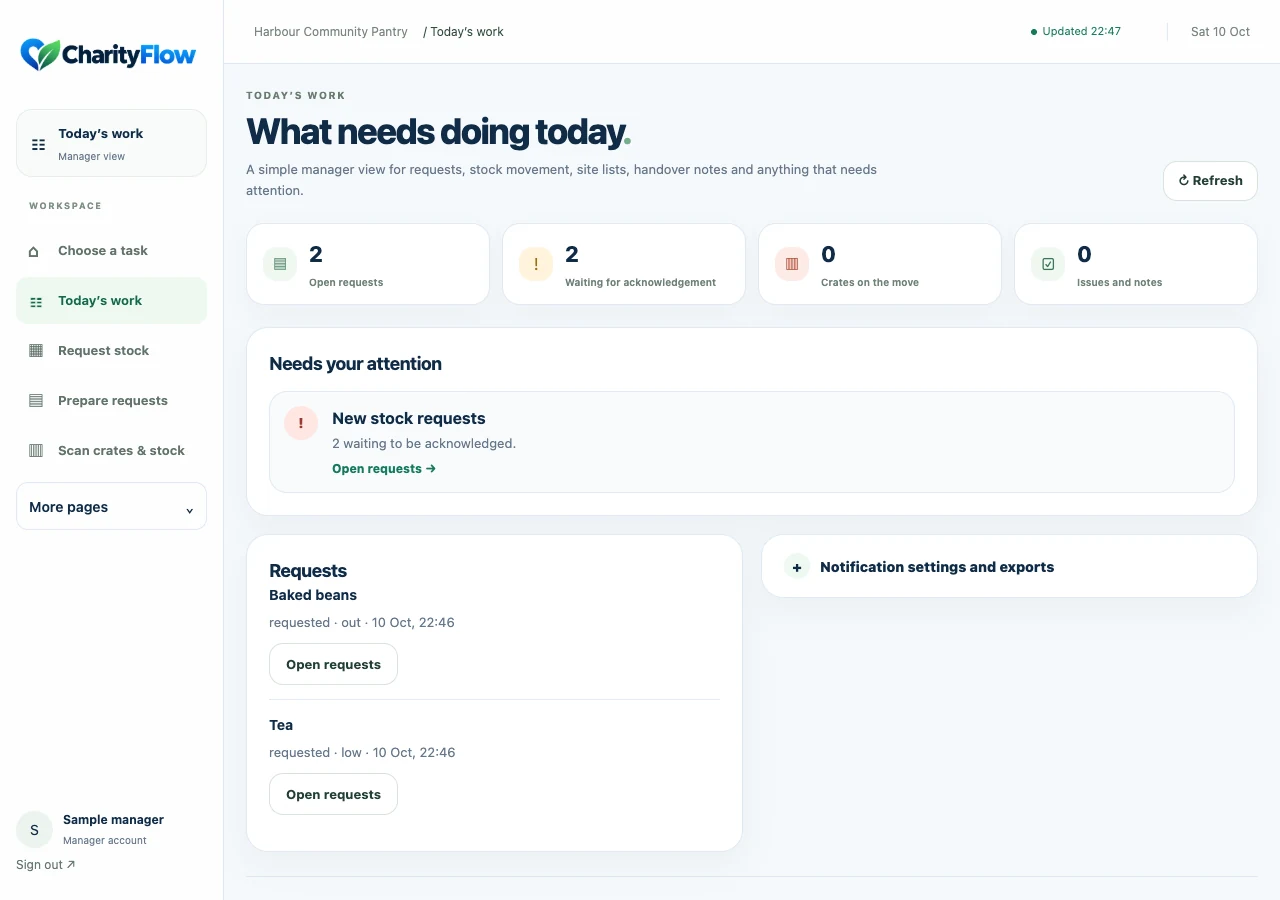
Check requests, stock movements and the jobs that need attention.
Actual app · sample data · open to enlargeWhen a workspace is set up, its charity type provides starter categories and stock locations. Managers can rename them and switch features on or off.
Track food donations, crate weights, shelf requests and transfers to other centres.
Organise nappies, feeding supplies, clothing and other donated essentials.
Keep track of donated clothes, shoes and labelled boxes as they move between stores and sites.
Manage practical supplies for hygiene, school, household and other local support schemes.
Other templates and a custom setup are available. You choose the categories and features that suit your work.
See what is recorded in your warehouse, packing area and other sites. Scan labelled containers as they arrive, leave or are used up.
Record what another site needs, prepare its transfer list and keep track of what has been sent.
Keep notices, tasks, rota details and contacts together. Share suitable notices on the volunteer board.
Share welcome messages, practical information and useful notices. Weather, news and bus information can be configured where needed.
Record sources, weights and quantities, print donation acknowledgements and download reports for review.
Create staff and terminal accounts, manage permissions and turn off features your organisation doesn’t need.
You get a separate demo workspace for 30 minutes. Try requests and stock tasks without changing another organisation’s records.
No account to create and no payment details. Up to 5 people can use separate demos at once; if they’re busy, you’ll see a waiting screen.
CharityFlow runs in a web browser, including on Android tablets, phones and desktop computers. The screens adapt to portrait and landscape. You can add a home-screen shortcut for quicker access.
A USB or Bluetooth scanner that acts as a keyboard can enter CharityFlow crate codes into the scan box. Set it to keyboard mode with Enter after each scan. Camera scanning is also available on supported phone and tablet browsers; camera permission and HTTPS are required. If it isn’t supported, you can type the printed code.
The inventory scanning workflow uses CharityFlow labels on containers such as crates, boxes and tubs. You record the category, weight and quantity against that container. It does not automatically recognise supermarket product barcodes or pull product details from a retail catalogue.
Use a printer installed on the computer or device you’re printing from. CharityFlow opens a printable barcode label in the browser. Check your printer’s label size and print at actual size. A normal paper printer can be used to try the labels before setting up a label printer.
Yes, to load current records and confirm stock changes. An open page may show its last update if the connection drops; connection warnings tell you when changes are paused. Some unfinished crate fields can be restored from the current tab for up to 15 minutes. Stock changes are not queued and sent automatically later.
Managers create accounts with roles for packing, warehouse, site teams and managers. Personal accounts can use passkeys as well as passwords. Shared terminal accounts can use a manager-set PIN. Public boards are separate and should only contain information suitable for everyone to see.
Managers can download the reports available for their enabled features. A password-confirmed workspace data export is also available in organisation settings. Exports can contain personal information, so keep them private.
Public signups and subscriptions are currently paused while we test the service. You can try the demo or ask about early access. We’ll discuss availability before creating an organisation workspace.
We’re testing CharityFlow with selected organisations before opening public signups and subscriptions. We want to hear how it works during a real shift: what volunteers find clear, where they get stuck and which tasks take too long.
If your charity would like to take part, tell us a little about your team, sites and the supplies you handle.